
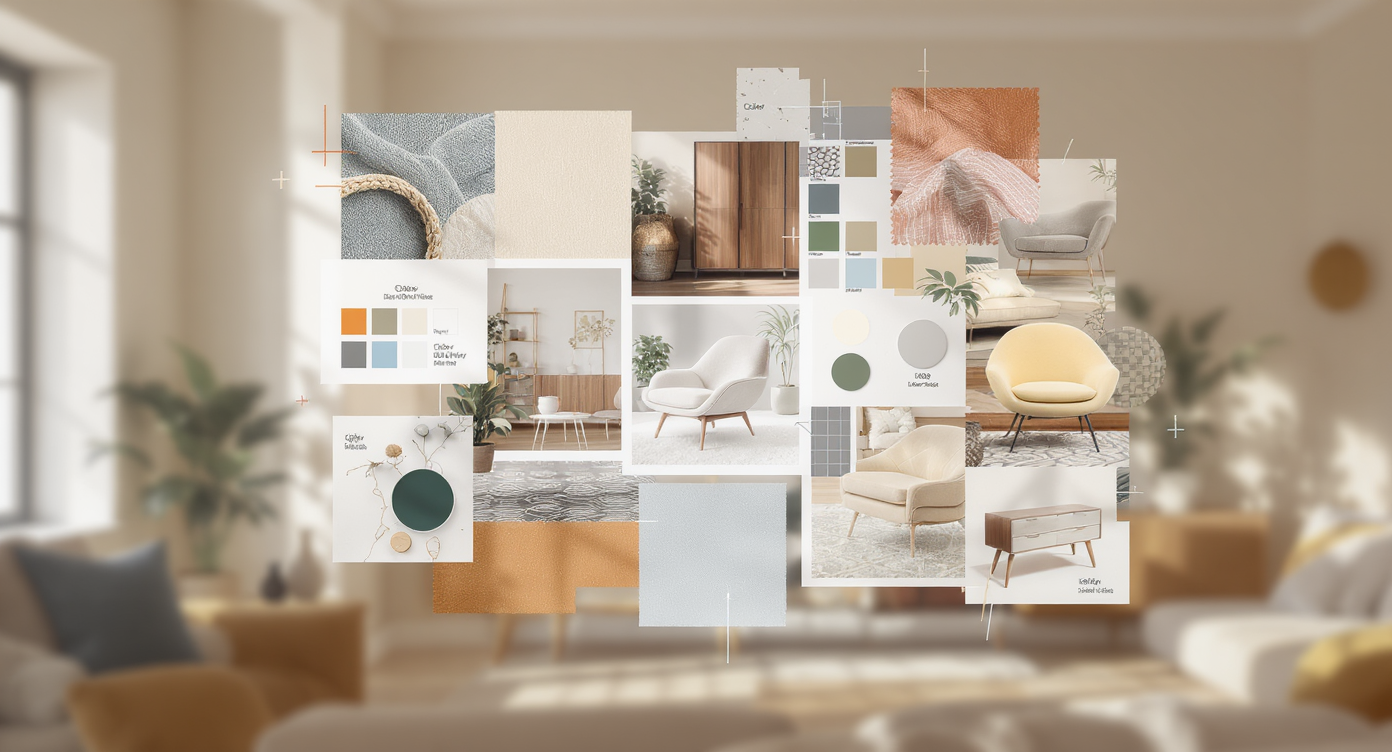
What Prompt Moodboard Planning Actually Is
Prompt Moodboard Planning is a structured way to prepare visual and written guidance before you type anything into an AI tool. Instead of jumping straight into generation, you collect images, colors, typography, and short notes that represent the mood and direction you want. This turns a traditional moodboard into a practical layer in an AI & Creativity workflow: you are not just curating inspiration, you are organizing it so it can be translated into clear, stable prompts. The result is visual planning that supports more consistent outputs over time, while still leaving room for experimentation and surprise.
In day-to-day creative work, this planning acts as a bridge between a rough idea and a usable prompt. By grouping reference visuals, describing them in plain language, and aligning them with project goals, you define a shared creative workflow that humans and AI can both follow. It will not guarantee perfect images or instant style matching, but it makes expectations more realistic and requests easier for the system to interpret. Over multiple projects, this approach becomes a reusable library of visual intent, helping teams and solo creators communicate direction clearly and explore new concepts without starting from scratch each time.
Selecting Visual References with a Clear Purpose
Purposeful visual reference selection starts before you save a single image. In structured prompt moodboard planning, you first define the creative problem: what scene, product, or story the AI images must support, and where they will be used. Instead of collecting anything that looks attractive, decide which aspects the references must clarify, such as lighting, camera angle, character attitude, or color energy. This framing turns a moodboard from a loose collage into a practical tool for art direction and reference curation, because each image is chosen to answer a specific question about the look and feel you want to brief to an AI model later.
Once the goal is clear, curate references in deliberate categories that map to your eventual prompts. One group might focus on composition and framing, another on texture and materials, another on palette and contrast. You do not need perfect matches; you need images that demonstrate a principle you want to reuse. When you label or mentally group them around functions like lighting ideas or background structure, the moodboard becomes a visual index you can translate into prompt phrases, guiding the AI toward consistent art direction and helping you notice conflicts, such as mixing minimalist interiors with highly ornate props.
At the end of this selection step, connect each cluster of images to language you will actually type into a prompt. A set that shows soft window light can be distilled into wording about diffused daylight and gentle shadows, while dynamic character poses might become instructions about movement and camera height. Treat this as a brief writing pass attached to each portion of the board. By linking visuals to clear wording while you build the moodboard, you turn inspiration into a usable prompt plan that keeps your visual direction consistent.
| Checklist Item | What to Look For | Keep / Reconsider | Prompt Planning Impact |
|---|---|---|---|
| Clarifies core scene or story | Shows setting, subject role, basic action | Keep if it supports the brief | Helps define main scene description |
| Consistent lighting and color energy | Similar mood, intensity, and contrast | Keep if it aligns with target tone | Stabilizes mood and lighting phrases |
| Readable composition and camera angle | Clear framing, distance, and viewpoint | Keep if framing fits intended use | Informs camera and shot-type wording |
| Character attitude and gesture | Pose, expression, body language cues | Keep if behavior matches intent | Guides action, emotion, and angle cues |
| Style coherence with other references | Works with existing board clusters | Reconsider if it introduces conflict | Prevents mixed signals in style notes |
| Easy to translate into text | You can describe it in a short phrase | Keep if wording feels straightforward | Speeds up turning visuals into prompts |
Balancing Inspiration, Consistency, and Permissions
When you plan a prompt moodboard, the way you handle visual reference selection strongly affects how predictable your AI results will be. Choose a focused set of images that share lighting, color palette, and point of view so your references feel coherent, even when the subjects change. This kind of style consistency makes it easier to describe what you want later, because you are working from a small, aligned cluster instead of conflicting influences.
An organized art brief holds this balance together by turning that curated moodboard into clear guidance while staying within usage boundaries. Describe any artist influence in broad stylistic terms and track where images come from so you can respect licenses or platform rules. Group visuals into sections such as character look, environment mood, or graphic treatment, and your prompts gain a clean handoff that helps the model turn your moodboard into reliable, refined image concepts.
Turning Moodboards into Clear Creative Direction
Once your prompt moodboard planning is complete, turn the images into clear creative direction notes that an AI model or collaborator can follow. Start by stating the emotional intent in plain language, describing what a viewer should feel and what story the board implies. Then translate recurring visual elements into concise phrases covering lighting, color palette, realism, and camera angles so it is obvious how the visuals connect to your creative intent.
For practical art brief organization, group your notes into sections that mirror how work is produced. Keep subject and setting in one place, style and visual references in another, and technical needs such as aspect ratio or output format in a third. This structure reduces confusion for teams and gives AI tools a more scannable, less ambiguous prompt. Mark anything from the moodboard that is essential as a requirement and treat the rest as flexible inspiration so people and models know what to prioritize.
Once your notes are structured this way, refining prompts and keeping visual direction consistent becomes easier. Each phrase in the prompt can be traced back to a specific reference, letting you adjust wording when outputs drift from the intended style. Over time, this creates a reusable reference system that links collected images, the language you use to describe them, and the creative decisions you want others to repeat, turning a loose board into dependable guidance.
Organizing an AI-Friendly Art Brief
An AI-friendly art brief turns prompt moodboard planning into a clear document that any model can read. Split it into four compact sections: overall style, main subject, scene description, and constraints. In the style block, turn visual references into concrete Creative Direction Notes such as lighting, color palette, camera angle, and level of detail, instead of vague labels. In the subject section, describe who or what appears, including posture, clothing, and key props, so the AI sees the core idea before fine-tuning the look.
Use a short environment and mood section to state where the scene happens and what story it suggests, then add a constraints block with orientation, resolution, details to avoid, and any rules from your style match workflow. Consistent Art Brief Organization makes it easier to adjust prompts, track creative decisions, and refine visual ideas as your AI and creativity practice evolves.
From Style Match Workflow to Scene Building
Once your prompt moodboard clearly shows the look and feel you want, turn it into a style match workflow that an AI system can follow. Group visual references by traits such as color palette, lighting, camera distance, and medium so you can see which images truly define your target style. Then translate what you see into short, concrete phrases, so the link between your visual reference selection and the text prompts stays explicit and repeatable.
Keep the workflow reliable by moving between images and words in both directions. When you write a prompt, check that every descriptive phrase maps to something visible on the board; if not, either adjust the wording or refine the reference set. This loop supports AI and creativity by giving you a clear style baseline while still allowing variation. Over time, maintain a small library of boards and creative direction notes for different aesthetics, and reuse them instead of rebuilding from scratch.
With the overall look defined, you can focus on scene building tips that push prompts beyond surface style into composition, lighting, and context. Start with subject and viewpoint, then add environment, time of day, and key light direction, echoing what appears in your moodboard. Mention framing, atmosphere, and any image concept refinement you need, and keep these details in a consistent order, like a compact art brief that guides the AI toward coherent, repeatable scenes.
Q&A
-
What does prompt moodboard planning actually involve?
It means collecting images, colors, and short notes that define mood, story, and style before you write any AI prompts, so you turn loose inspiration into a clear plan. -
How can I choose visual references with a clear purpose?
Start from the creative problem and pick images that answer specific questions about lighting, angle, character, or color, instead of saving anything that just looks nice. -
How do I keep a balance between inspiration and consistent style?
Limit your board to images that share similar lighting, palette, and point of view, and avoid mixing radically different aesthetics that would confuse the direction. -
What makes good creative direction notes for AI image tools?
Translate the moodboard into plain statements about emotion, then add brief lines on lighting, realism level, color range, and camera setup that others can follow. -
How can I turn my moodboard into an organized AI art brief?
Structure it into overall style, subject, scene description, and constraints, then add a short style match checklist to guide scene building and later refinements.