
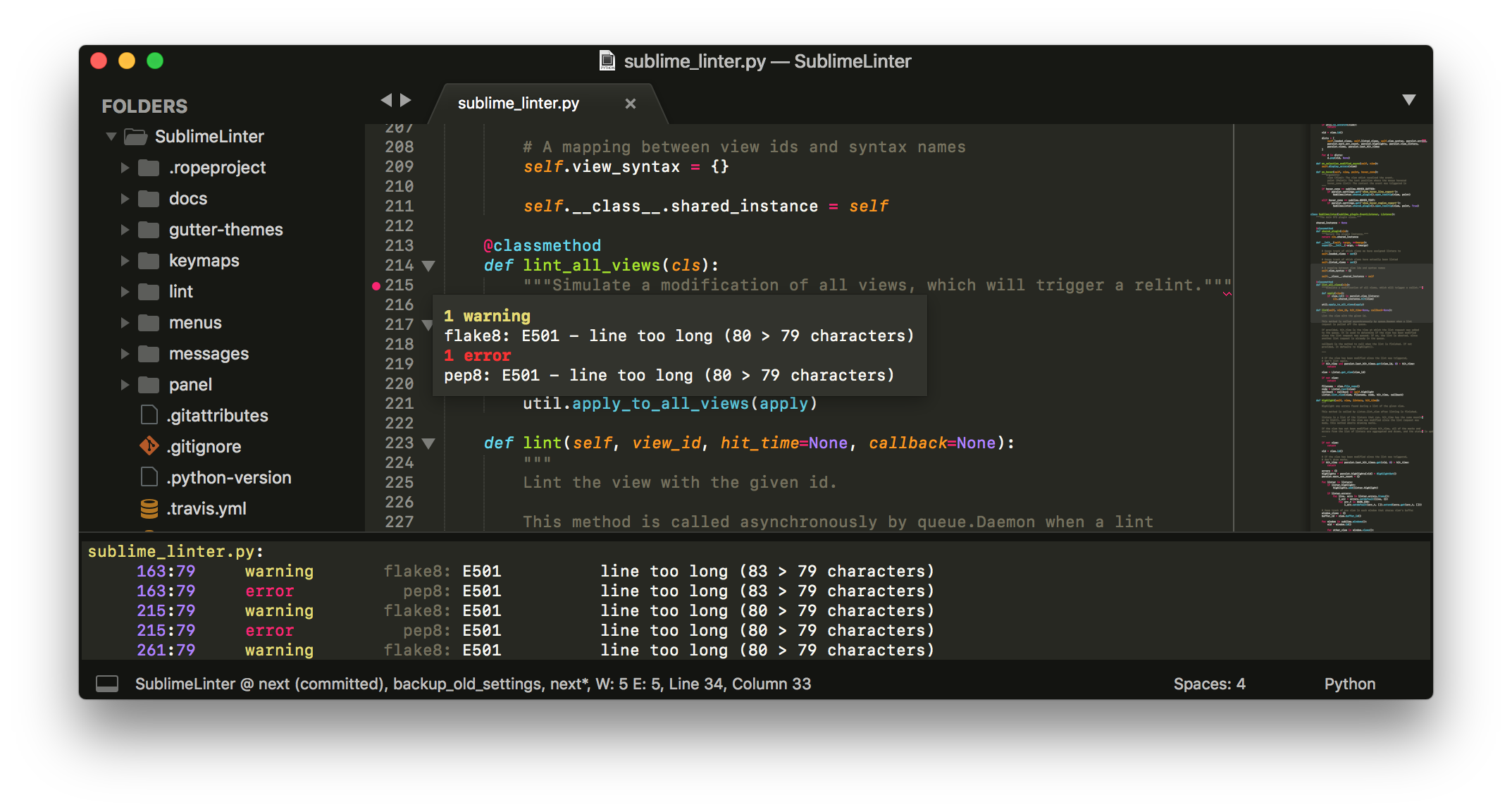
What is Sublime Text 4?
Sublime Text 4 (ST4) is a sophisticated, cross-platform text editor designed for code, markup, and prose. While many modern competitors are built on web technologies (Electron), Sublime Text is a native C++ application. In 2026, it stands as the "speed enthusiast's" choice, offering a fluid, distraction-free interface that interacts directly with your machine's GPU for unparalleled performance.
What is Sublime Text 4 used for?
In 2026, professional developers and data scientists primarily use ST4 for:
-
Extreme File Handling: Opening multi-gigabyte log files or massive datasets that would crash standard IDEs.
-
Rapid Scripting: Writing and testing Python, Go, or Rust scripts with zero startup lag.
-
Distraction-Free Prose: Using Markdown and LaTeX for technical documentation and creative writing.
-
System Configuration: Serving as the "Swiss Army Knife" for quick edits via terminal integration and its near-instant "Goto Anything" search.
Sublime Text 4 Alternatives
For those seeking different workflows, these are the top contenders in 2026:
-
Zed: A Rust-based editor that rivals Sublime's speed but focuses more on built-in AI and collaboration.
-
VS Code: The industry giant with the largest plugin ecosystem, though significantly more resource-heavy.
-
Cursor: An AI-native fork of VS Code for those who want deep LLM integration out of the box.
-
Neovim: The ultimate choice for terminal-based power users who prefer a modal, keyboard-only workflow.
Features
Sublime Text 4 has introduced several "under-the-hood" technologies that keep it at the top of its game in 2026:
-
GPU Rendering: ST4 utilizes your graphics card on Windows, Mac, and Linux to render the UI. This ensures a 120Hz+ fluid experience even on 8K monitors while consuming less battery than CPU-based rendering.
-
Tab Multi-Select: A game-changer for split-screen productivity. You can select multiple tabs simultaneously to view them side-by-side or perform batch actions across files.
-
Context-Aware Auto-Complete: The engine has been rewritten to provide intelligent suggestions based on your existing project code, offering an IDE-like feel without the associated lag.
-
Native ARM64 Support: Fully optimized for Apple Silicon (M-series) and Linux ARM64 (like Raspberry Pi 5+), ensuring it runs at peak efficiency on modern hardware.
-
Modern Language Support: Native support for TypeScript, JSX, and TSX is now built-in, handling modern web ecosystems with ease.
Pricing
Sublime Text follows a transparent, user-friendly licensing model in 2026:
-
Personal License: $99 USD. This includes 3 years of updates. After 3 years, you keep the software forever; you only pay to continue receiving new updates.
-
Business License: Tiered annual subscriptions (approx. $65/seat/year) for centralized team management.
-
The "Infinite" Trial: You can evaluate the software for free without a time limit. It will occasionally show a "purchase reminder" popup, but no features are locked.
Integrations
Despite its minimalist core, ST4 integrates seamlessly with the modern dev stack:
-
LSP (Language Server Protocol): Via the "LSP" package, it supports the same intelligence as VS Code for refactoring and error checking.
-
Sublime Merge: Deeply integrated with its sister Git client, allowing for a seamless transition between coding and version control.
-
AI Extensions: In 2026, community packages allow for integration with GitHub Copilot, Claude, and OpenAI, bringing LLM power to a lightweight editor.
-
Package Control: A built-in ecosystem for thousands of community themes, syntax definitions, and productivity tools.
Support, Customer Service, and Training Options
Sublime HQ maintains a high-quality support ecosystem:
-
Direct Support: Licensed users get email support with impressive 24–48 hour response times.
-
Documentation: Comprehensive technical guides for the Python API, allowing users to build their own plugins.
-
Community Forums & Discord: A highly active community where developers share complex "hacks" and configuration tips.
-
Tutorials: A vast library of community-made "Sublime Text Power User" courses and YouTube tutorials.
Pros & Cons (2026 Review)
| Feature Category | Pros (The Good) | Cons (The Bad) |
| Performance | Instant Startup: Opens in < 1s; arguably the fastest editor on the market. | Memory Usage: While low, some heavy plugins can still cause occasional bloat. |
| User Interface | GPU Accelerated: Silky smooth scrolling even in 100k+ line files. | Date UI: Some parts of the sidebar and menus feel "classic" compared to Zed. |
| Customization | Total Control: Every aspect is tweakable via JSON and Python. | Steep Learning Curve: Configuration is text-based; no "Settings" GUI like VS Code. |
| File Handling | The Log Master: Handles massive files (500MB+) without breaking a sweat. | Project Management: Lacks built-in advanced project/folder management tools. |
| Value | Fair Licensing: A one-time fee for a lifetime of use (on 3-year update cycles). | Initial Cost: $99 can be a high entry barrier compared to free alternatives. |
| Ecosystem | Package Control: Thousands of high-quality, community-driven plugins. | Plugin Quality: Some older plugins are unmaintained or buggy in 2026. |
Sublime Text 4 is a precision instrument. It doesn't try to be an all-in-one operating system; it tries to be the world's best text editor. For the developer who values stability, speed, and local privacy, it is the gold standard.
If you find yourself waiting for your current editor to "load" or "re-index," or if you're tired of AI features being forced into your workflow, Sublime Text 4 is a breath of fresh air. It is a tool that stays out of your way and lets you do your best work.